Client Background
WRAPACKAGE is a to-go restaurant, based in Downtown San Jose, California, targeting mainly students and school faculties.
WRAPACKAGE recently started delivery service within the Downtown area, for customers' convenience. Therefore, WRAPACKAGE needed an application for the restaurant, so customers can order food through the app and get their food delivered at their doors.
My Role
UI/UX Designer
Design Process
Client Analysis - User & Competitor Research - Define Problem & Propose Solution - User Persona & User Scenario - Sitemap - Wireframe - User Testing - Moodboard - Style Guide - Interface Design
1. Client Analysis
To get clear sense of what I am designing,
I started with client analysis. I interviewed client, regarding the restaurant and food, such as their goal for making an app, target audience, detail information about the food, and many others.
Food & drink
Custom food wraps
Delivery Radius
Downtown San Jose
Main target audience
Deliver lunch and dinner for college students/staffs and company employees in the area.
Elevator pitch
Wrapackage wraps your appetite and delivers to you as a package.
Goals
2. User & Competitor Research
To learn user’s thought process, behavior, also do’s and don’ts,
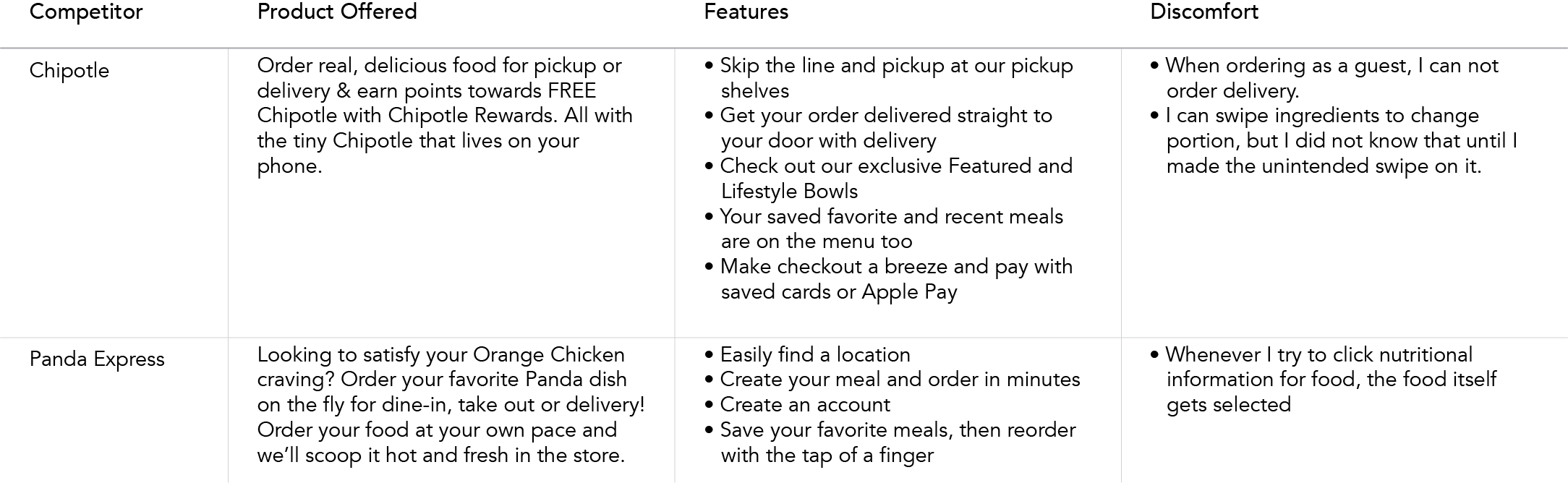
I interviewed SJSU students, who are WRAPACKAGE’s target audience, about their experiences using other food customization apps. Also, I studied existing food ordering apps on the market, to learn from their successes and avoid their mistakes.
Key Result
The inconvenience of using existing apps
3. Define Problem & Propose Solution
Problem Statement
When I try to order customization food from an unfamiliar restaurant, I get lost, because I do not know which combination makes good food. So I either open Yelp to read reviews and get tips, or just order from familiar restaurants.
Solution Statement
WRAPACKAGE mobile app guides users, customizing food without getting lost by providing recommended combinations according to users’ selections of ingredients.
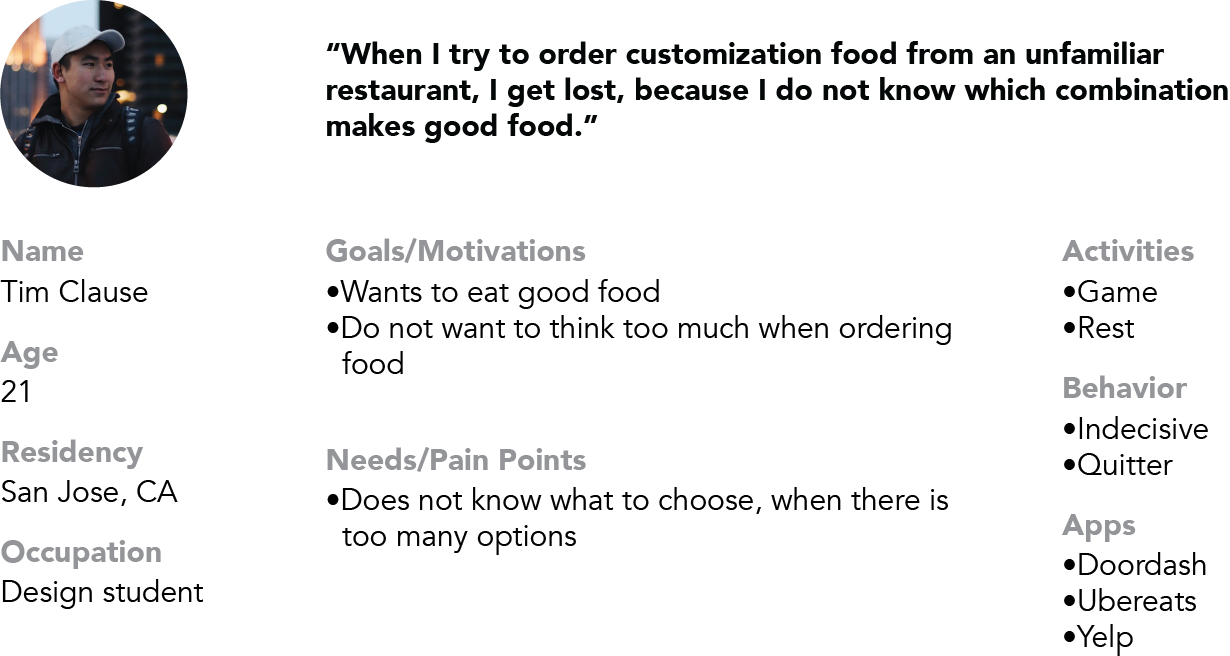
4-1. User Persona
To walk in user’s shoes,
I made a user persona, based on WRAPACKAGE’s target audience.
4-2. User Scenario
Trigger
Tim opens Instagram and sees a photo of WRAPACKAGE food, that his friend posted about an hour ago. The photo has picked up Tim’s appetite.
Action
Tim opens Doordash and searches WRAPACKAGE.
Frustration
As Tim tries to order food, he finds out that WRAPACKAGE’s food is 100% customizable, but he gets very indecisive when he orders food. Also, it is his first time trying WRAPACKAGE. He does not know what to choose for his ingredients.
While Tim is struggling to choose ingredients, his sister sees him and tells him to use WRAPACKAGE mobile app, instead of Doordash.
Solution
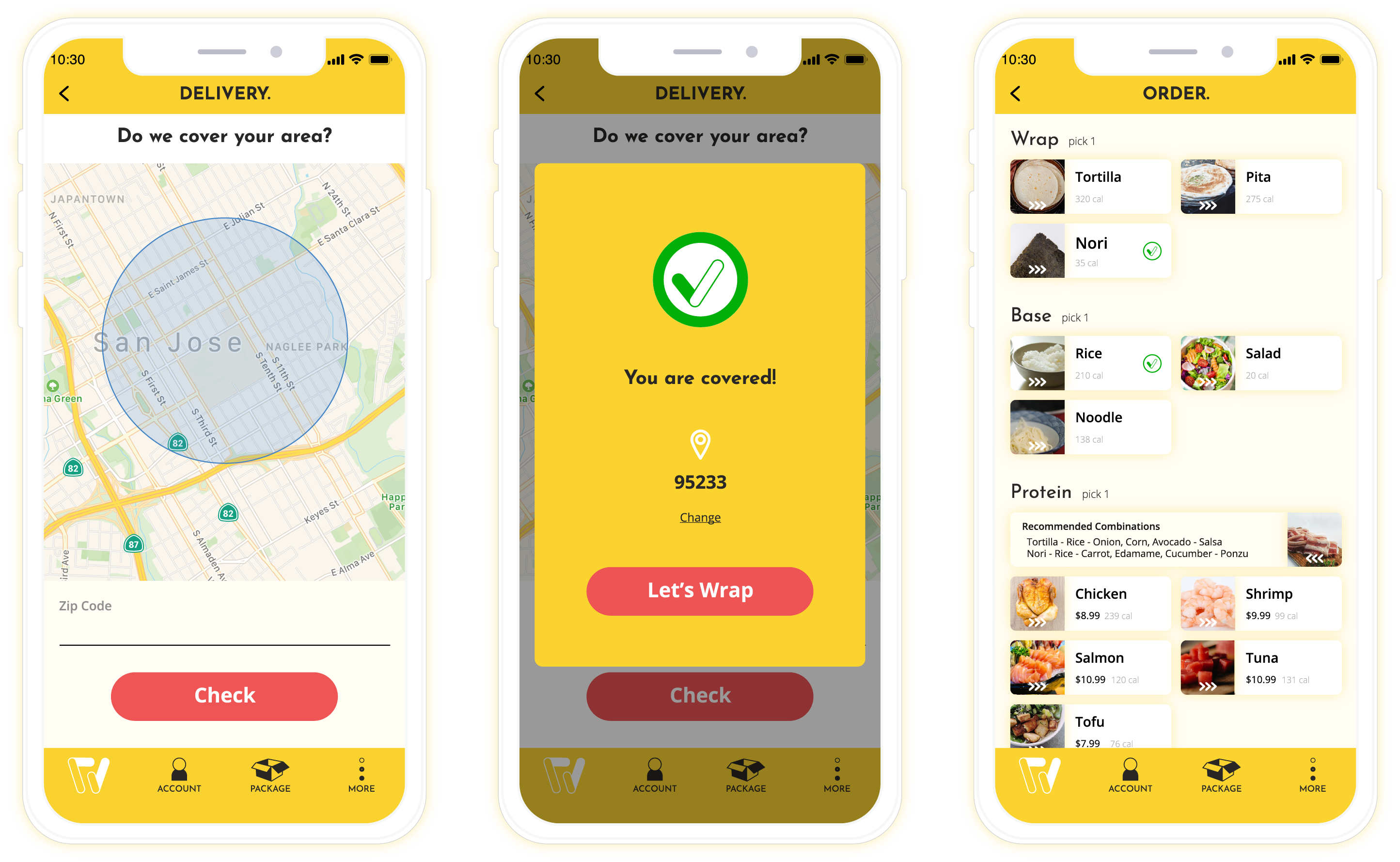
Tim installs WRAPACKAGE mobile app, and tries to order. As he clicks ingredients, WRAPACKAGE mobile app recommends other ingredients that harmonize well with chosen ingredients. Tim follows recommendations and complete the order without hesitation.
Reward
New users need help unless they know their adamant appetite. By using WRAPACKAGE mobile app, new users or existing users who want to try unusual combinations, are guided in the order process, so they do not have to worry about making bad combinations. Users will always be satisfied for the food they order.
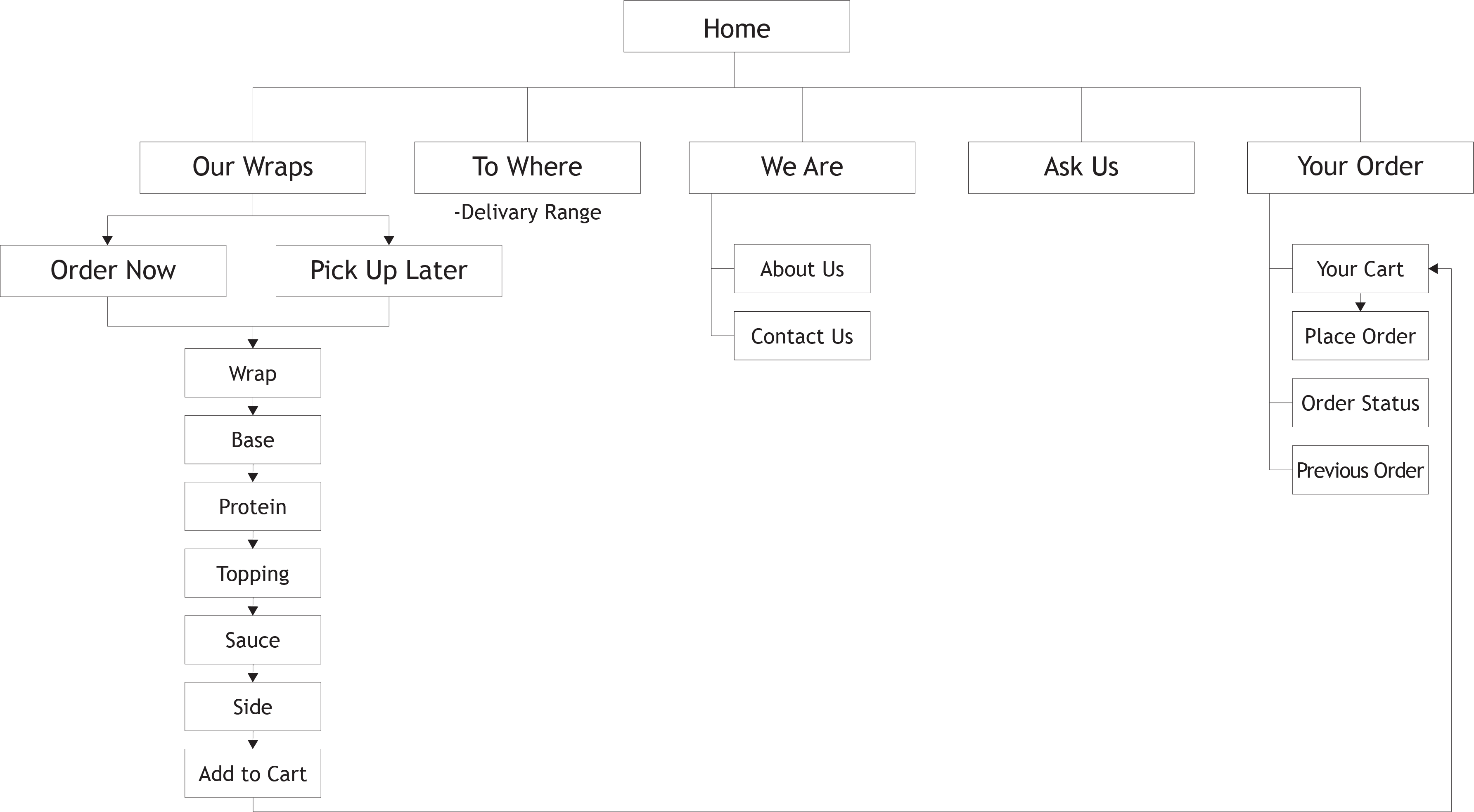
5. Sitemap
To establish a pathway of the app,
I arranged a sitemap, organizing functions, and its flow.
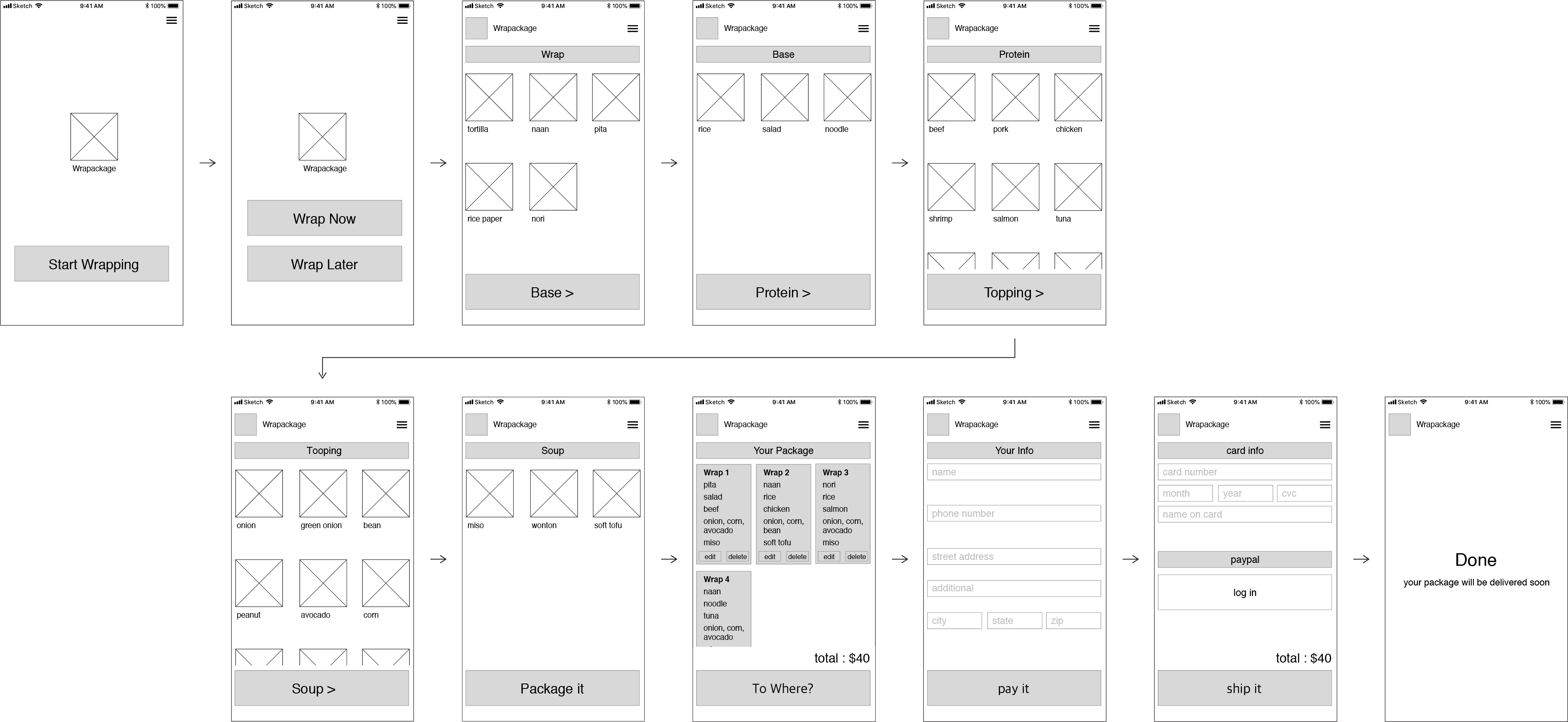
6. Wireframe
To visualize the sitemap,
I constructed wireframe, placing texts, buttons, image boxes, and other elements on the screen-ratio artboard. In this process, I could get a better sense of how each screen would look, and be able to use wireframe for user testing.
7. User Testing
To get feedback for the wireframe,
I conducted user testing with SJSU students who I interviewed for user research, and also the client. I let them explore the wireframe, answered their questions, and asked them questions about the usability of it.

8. Moodboard
To get inspired,
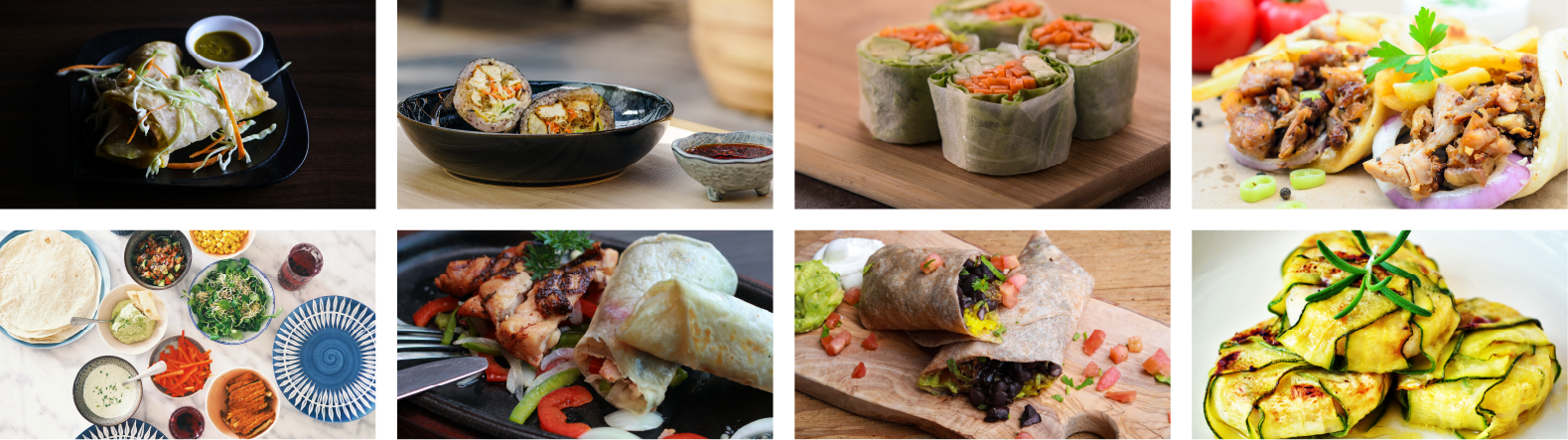
I created moodboard, so I could decide a look and feel for the app.
9. Interface Design
To infuse life to the app,
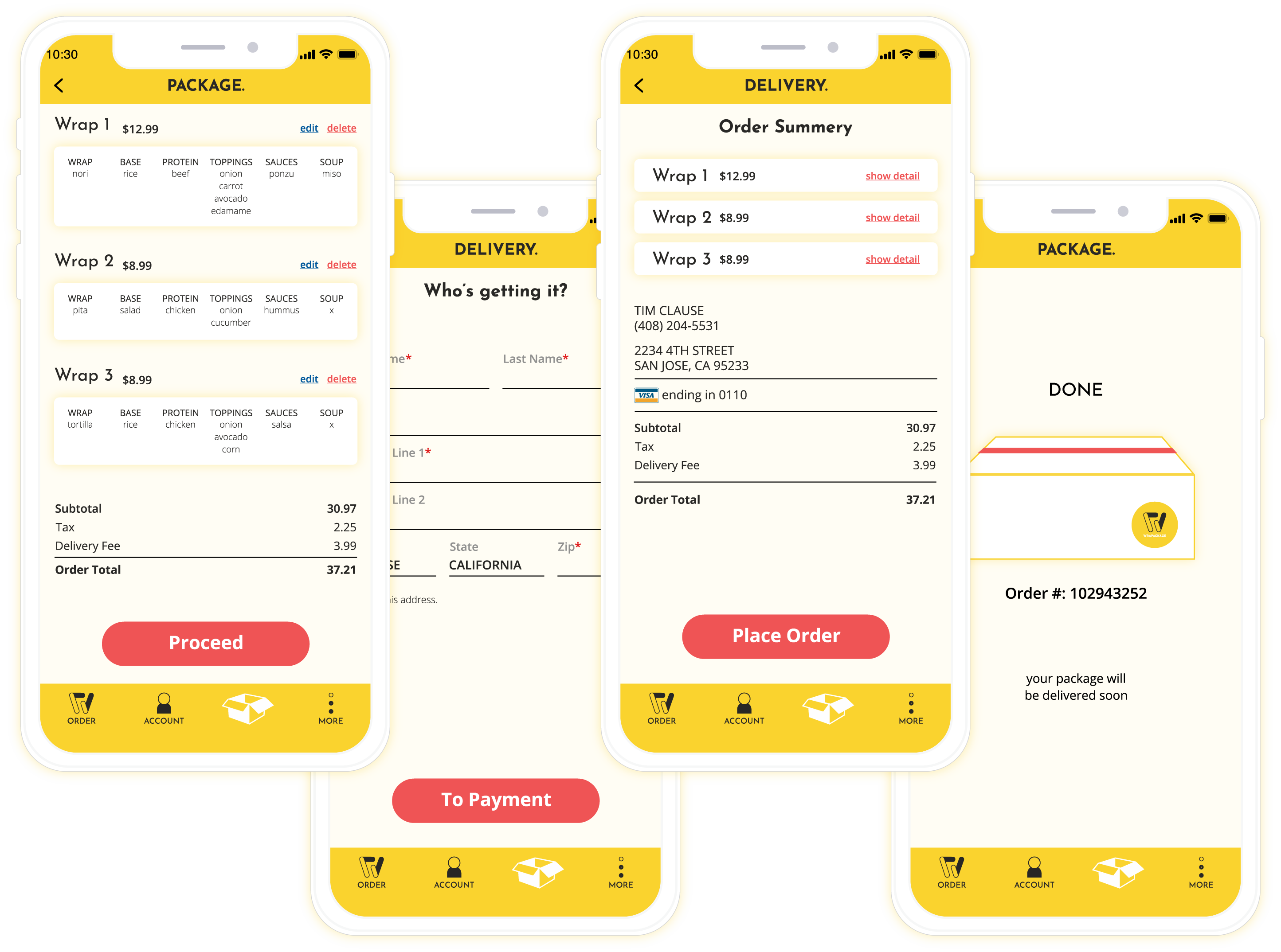
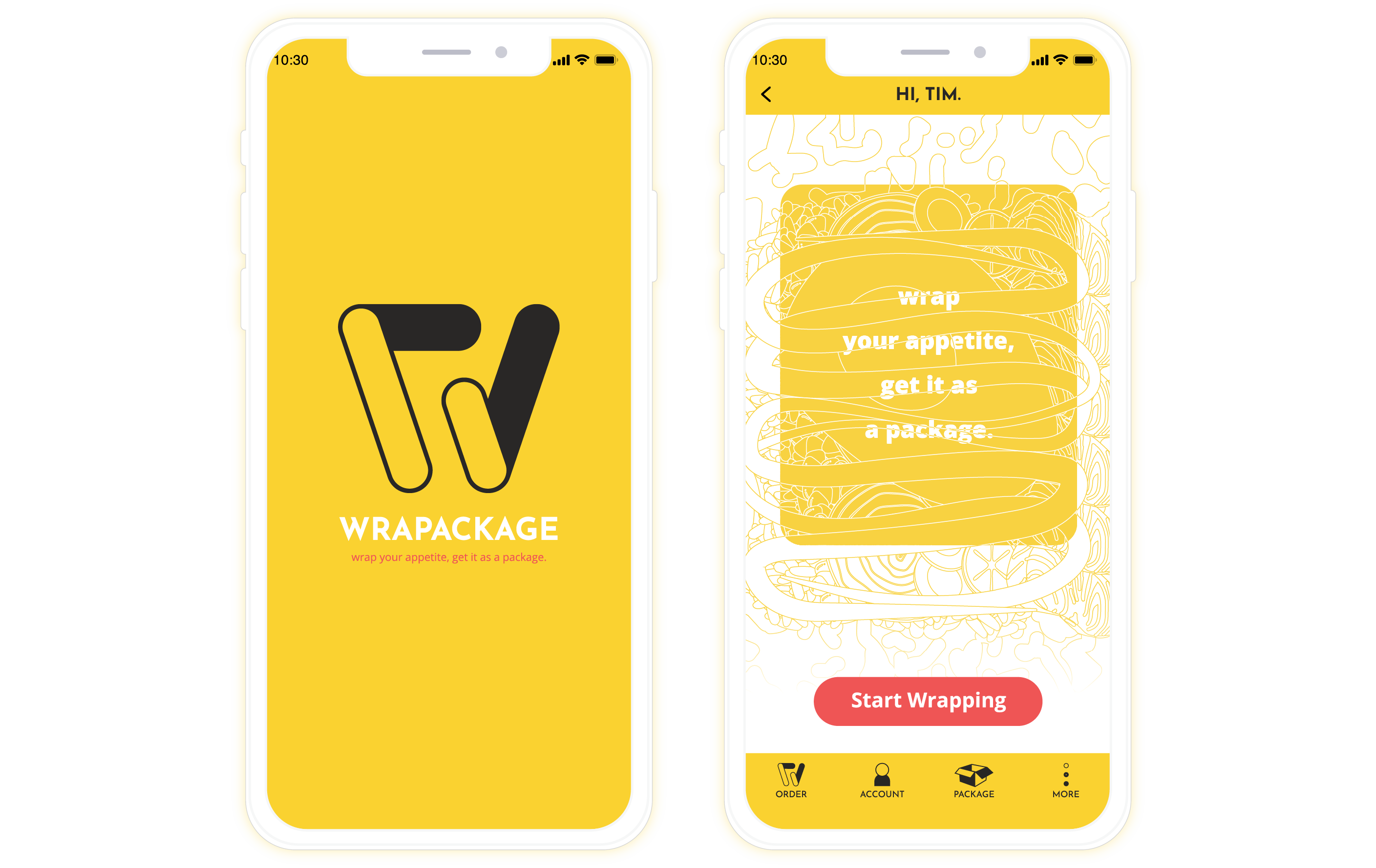
I designed interface, on the basis of my moodboard and style guide.
Home Screen
Order Process
Placing Order
If you like what you see and want to work together, get in touch!
designbk4@gmail.com